The widget isn't updating
Widgets refresh on iOS's schedule, not live, so they can lag the app. Opening Stocks usually catches them up. Low Power Mode makes them refresh less often, so check Settings > Battery.
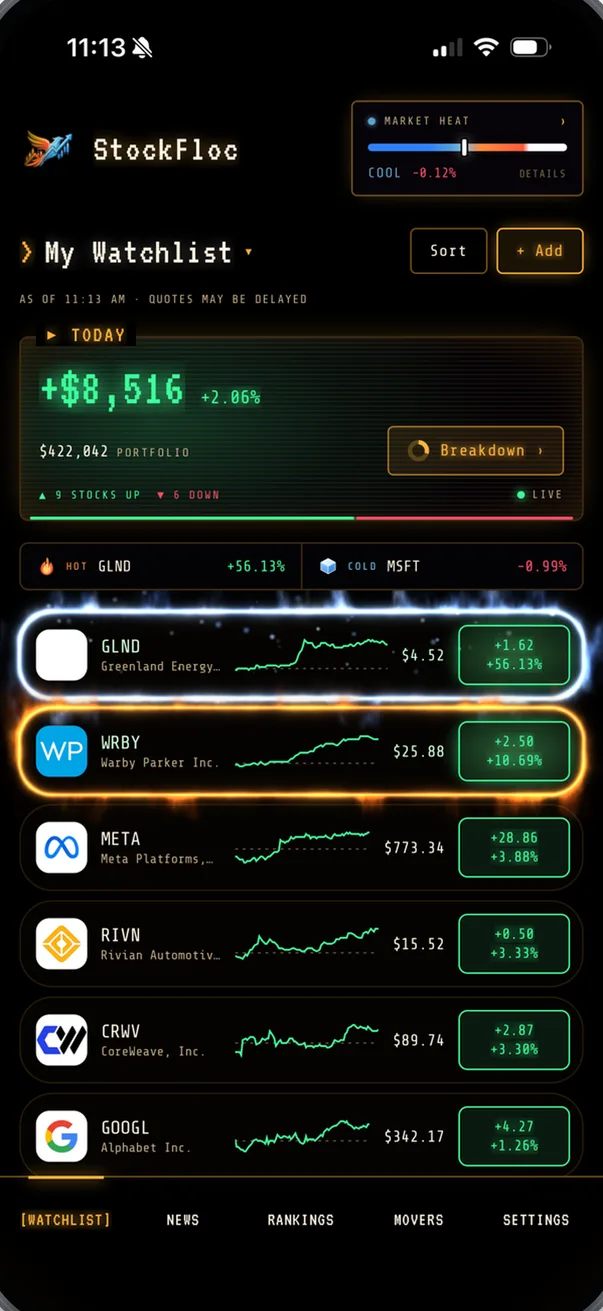
StockFloc is a free second app for checking prices. No account needed.

It's usually one of four things: the market is closed, your iPhone is offline or in Low Power Mode, Apple's Stocks service is down, or the app needs a restart. Work through the fixes below in order. If you want a second app to check prices while you sort it out, StockFloc is free on the App Store and needs no account.
Last checked . We make StockFloc, so read this with that in mind.
The first two take seconds and rule out the most common causes.
Widgets refresh on iOS's schedule, not live, so they can lag the app. Opening Stocks usually catches them up. Low Power Mode makes them refresh less often, so check Settings > Battery.
Tap the green or red change button on any row. It switches between price change, percentage change, and market cap.
Open the stock. Its page shows the after-hours price. Pre-market quotes need iOS 18.2 or later and cover stocks on the NASDAQ and NYSE.
Stocks syncs through iCloud. On each device, sign in with the same Apple Account, then go to Settings > your name > iCloud and make sure Stocks is on. You may need to tap See All to find it.
Swipe left past your last Home Screen page to open the App Library and search for Stocks. If it isn't there, it was deleted. Download it again from the App Store. It's free.
Funds and some thinly traded stocks don't update as often as big names, and mutual funds price once a day after the close. Check the same ticker in another app before assuming Stocks is broken.
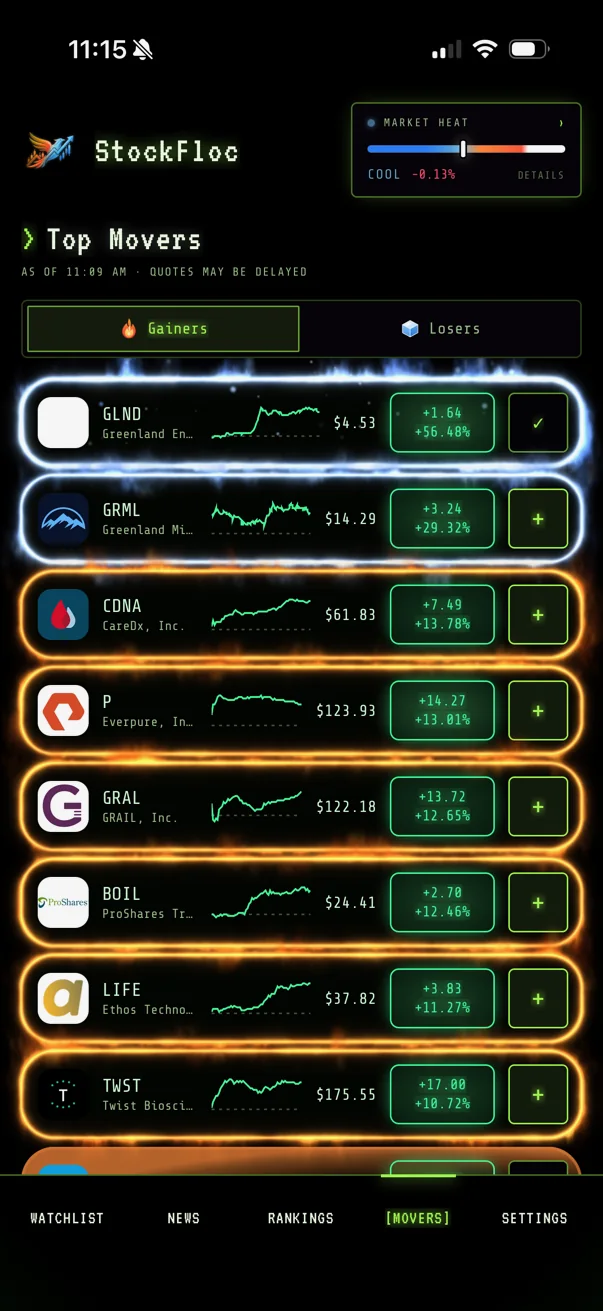
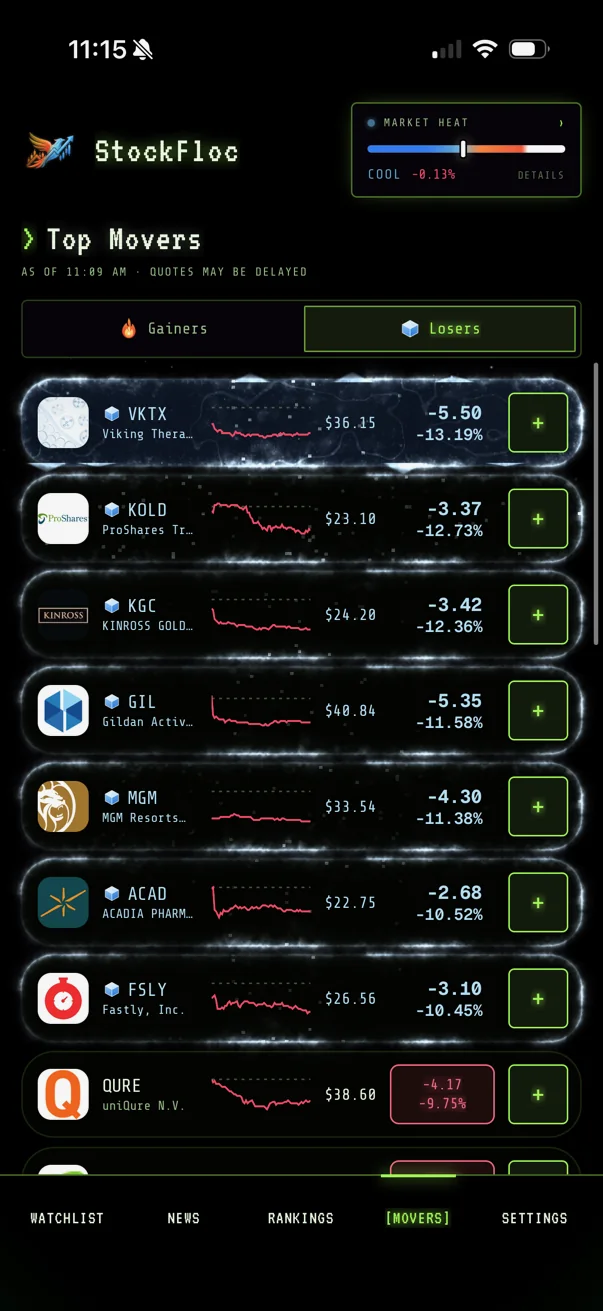
StockFloc is a free watchlist for iPhone with no account. Any stock up 10% or more in a day catches fire on its row, and one down 10% freezes into ice, so you see what moved before you read a number. Quotes may be delayed about 15 minutes, so it's made for watching, not trading.
It's already on your iPhone, syncs your list to your iPad and Mac through iCloud, has Home and Lock Screen widgets, and pulls business stories from Apple News. StockFloc has no widget yet and keeps your list on one phone.
See how the two compare in StockFloc vs Apple Stocks, or browse our honest roundup of watchlist apps. Moving to Android? There's no Apple Stocks there, so here's what to use on Android.
Usually the market is closed, your iPhone is offline or in Low Power Mode, or Apple's Stocks service is having a problem. Check the time, check apple.com/support/systemstatus, then close and reopen the app. A restart or an iOS update fixes most of the rest.
Apple's System Status page at apple.com/support/systemstatus lists Stocks as its own service. If it shows a problem there, the fix is on Apple's side. Apple sometimes posts an outage only after it has been going for a while, so if the page is green but prices are frozen during market hours, check the same stock in another app. If it moves there, the problem is Stocks, not your phone.
Close it completely by swiping it away in the app switcher, then open it again. If prices still don't move during market hours, restart your iPhone and check your connection.
iOS refreshes widgets on its own schedule, so they can lag behind the app. Open Stocks to catch the widget up. Low Power Mode makes widgets refresh less often.
Tap the green or red change button next to any stock. Each tap switches between the price change, the percentage change, and the market cap.
Yes. Open a stock and its page shows the after-hours price. Since iOS 18.2, Stocks also shows pre-market quotes for stocks on the NASDAQ and NYSE.
Search for Stocks in the App Library first. If it's not there, it was deleted. Download Stocks by Apple from the App Store for free. If Stocks is on in iCloud, your watchlist should come back.
Yes. StockFloc is a free watchlist app on the App Store with no account. Big movers catch fire or freeze into ice, so you see what moved at a glance. Its quotes may be delayed about 15 minutes, so it's made for watching, not trading.
On Android? StockFloc is on Google Play too.
StockFloc is an independent app from Pizza Robot Studios and is not affiliated with or endorsed by Apple. Apple, iPhone, iPad, Mac, iCloud, and App Store are trademarks of Apple Inc. Nothing here is investment advice.