Your value and today's move
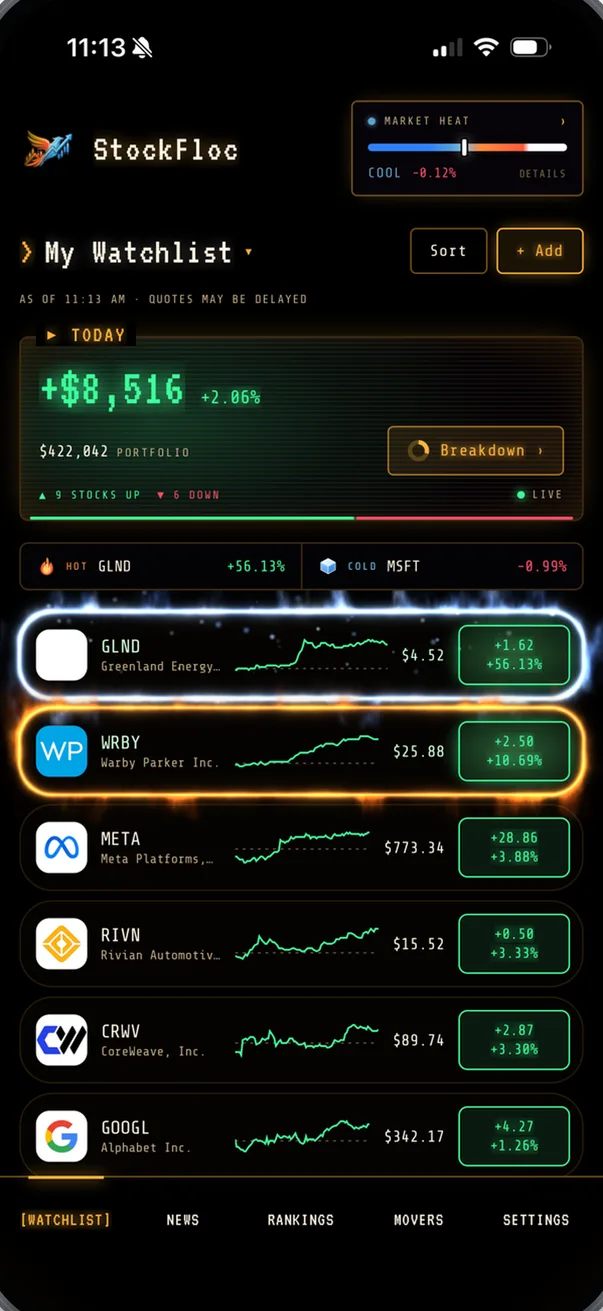
Your total value and how many dollars you're up or down today, right at the top of your watchlist.
Your value and daily gain are free. The full Portfolio breakdown is part of the $0.99 unlock.


Yes. You type in what you own instead of connecting your broker. StockFloc does this for free on iPhone and Android, with no account. Add your shares and what you paid, and you'll see your portfolio value and today's gain or loss. Those numbers stay on your phone.
Linking is handy, because your trades update on their own. But another company can then see your balances and trades. If you only want to see how your stocks are doing, you don't need to give that up.
Apps like Delta, getquin, and Snowball Analytics are built around linking your accounts, and Yahoo Finance offers it too. Here's what changes when you don't. Where linking does more, the table says so.
| Linked tracker | StockFloc | |
|---|---|---|
| Connect your brokerage | Yes, that's how it fills in | No, there's nothing to connect |
| Account or email | Usually required | None |
| Where your numbers live | On the company's servers | On your phone |
| After you buy or sell | Updates on its own | You update it yourself |
| Several brokers | Combined in one view | Add them yourself. Up to 12 lists with Premium |
| Dividends and taxes | Often included | Not tracked |
| What it covers | Whatever your accounts hold | US-listed stocks and ETFs |
| On a new phone | Sign in and it's there | You add your positions again |
Your total value and how many dollars you're up or down today, right at the top of your watchlist.
Open a stock to see your shares, what they're worth, and how much you've made or lost.
One tap hides your dollar amounts when other people can see your screen.
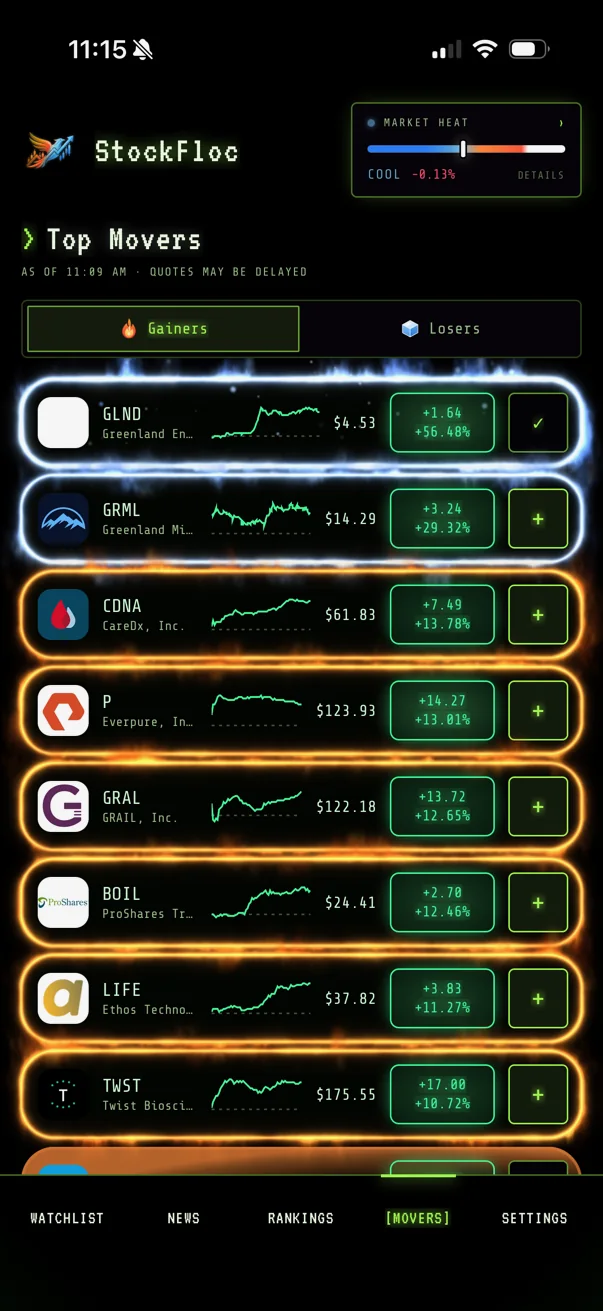
Any stock up 10% or more in a day catches fire on its row. Down 10% or more and it freezes into ice.
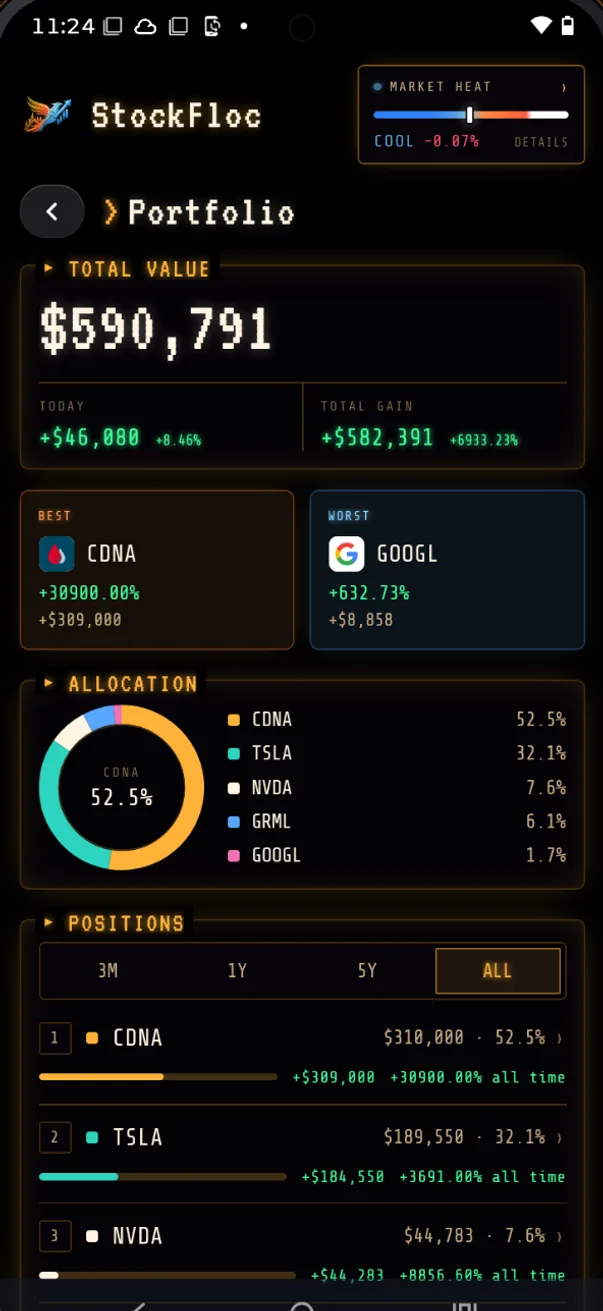
The one-time $0.99 unlock adds a full breakdown: your allocation, your best and worst positions, and returns over 3 months, year to date, 1 year, 5 years, and all time.
Nothing updates on its own, so you edit a position when you buy or sell. There's no sync across devices. Each stock has one position with one date, so it isn't built for tax lots.
We don't collect your share counts or dollar amounts. The app does fetch prices for the tickers you follow, and the free version shows ads from a mobile ad network. The privacy policy has the details. If you share a portfolio card, it shows percentages, never dollars.
A spreadsheet works if you don't mind keeping it up. The Stock Analysis app has a portfolio tracker with no account required. Just want to watch prices? Here's a stock watchlist without a login. Our honest roundup of watchlist apps compares more.
Yes. With a manual tracker, you type in your shares and cost yourself. StockFloc works this way on iPhone and Android, with no account and no brokerage login.
Yes. StockFloc has no sign-up at all. Open the app and start adding stocks. The Stock Analysis app also has a portfolio tracker and says no account is required.
Many people do, and it's convenient. It does mean another company can see your holdings, so read its privacy policy first. If you'd rather not, a manual tracker avoids it.
No. Your shares and cost stay on your phone. We don't collect share counts or dollar amounts, and StockFloc never connects to a brokerage.
Yes. Tracking your shares, cost, value, and daily gain or loss is free, with ads. One optional one-time $0.99 unlock removes ads and adds the full portfolio breakdown and more watchlists. There is no subscription.
Yes, with Premium. Each watchlist is its own portfolio, and you can have up to 12.
There's no account, so StockFloc can't sync your positions for you. You may need to add them again. Deleting the app deletes them too.
StockFloc is not a broker or financial adviser, and nothing here is investment advice. Quotes may be delayed about 15 minutes. Company names are the property of their owners and are used for identification only.